Runs where you run it
A workstation, a NAS or a server in the studio closet. Files land on your own disk — or your own S3 / MinIO bucket.
Hangar is a self-hosted digital asset manager for 3D and game content. Version models, textures and audio like code, preview every change in the browser, and keep your unreleased work on hardware you control.
● No cloud account · No telemetry · Runs on your own network
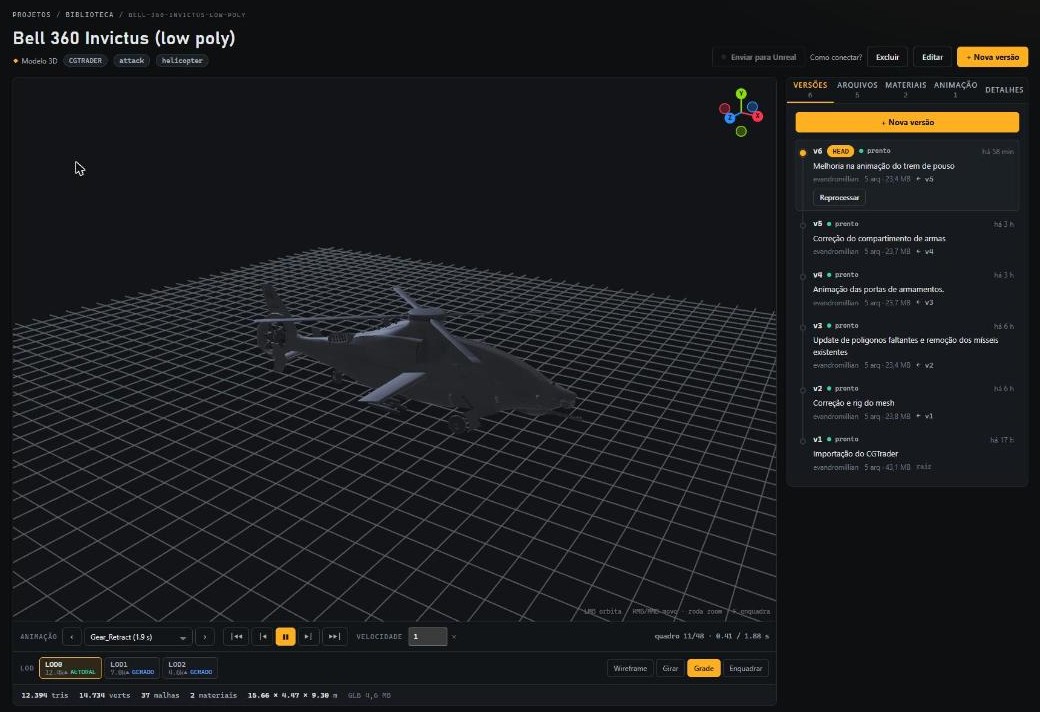
Characters, vehicles and whole worlds that haven't shipped yet are a studio's most valuable — and most sensitive — data. Cloud asset platforms ask you to hand over a copy of all of it, under terms you don't write. Hangar was built to keep that workflow in-house: the same comfort, none of the exposure.
A workstation, a NAS or a server in the studio closet. Files land on your own disk — or your own S3 / MinIO bucket.
Just the Hangar server and PostgreSQL. No external accounts, no SaaS dependency, no telemetry, no third-party calls.
Projects with roles. People outside a project can't even tell an asset exists. Editor plugins use revocable tokens.
Conversion, LODs and thumbnails run on your machine. The 3D viewer renders in the browser from bytes your server already holds.
Your IP, your hardware, your rules. Hangar gives you a modern asset pipeline without making your art someone else's data.
Drop in an FBX, a folder of textures or a whole package. Hangar versions it, converts it and gives your team a browser preview within seconds.
Every asset has an immutable history over a content-addressed blob store. Fix a hull mesh and only the new FBX is uploaded — the 4K textures keep pointing at the same blobs.
v1 → v2 → v3 with parents — branch from any version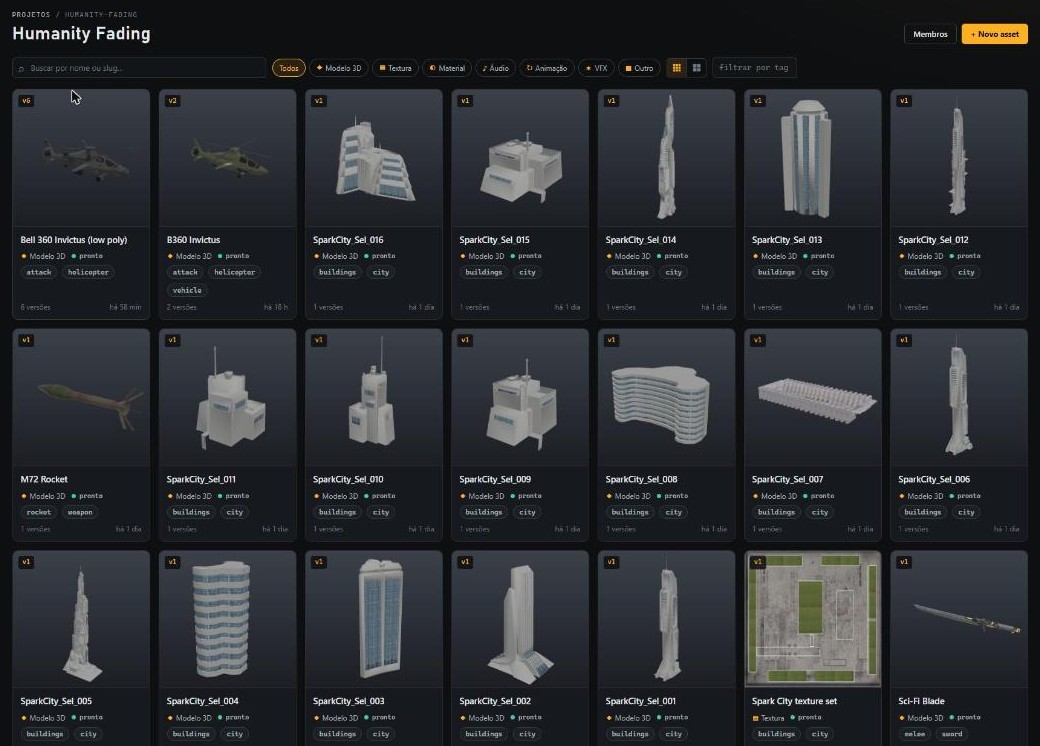
Each new version is processed in the background: FBX, glTF and OBJ become web-ready GLBs, one per level of detail. Authored _LOD1 meshes are kept; missing ones are generated.
Desert/, T_Body_Woodland_D) become switchable skins.blend, .dae, .3ds and friends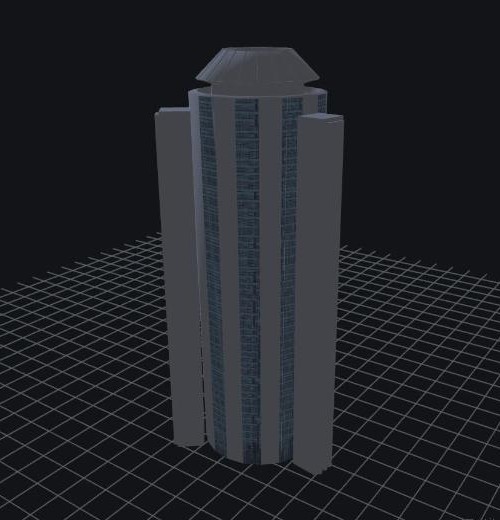
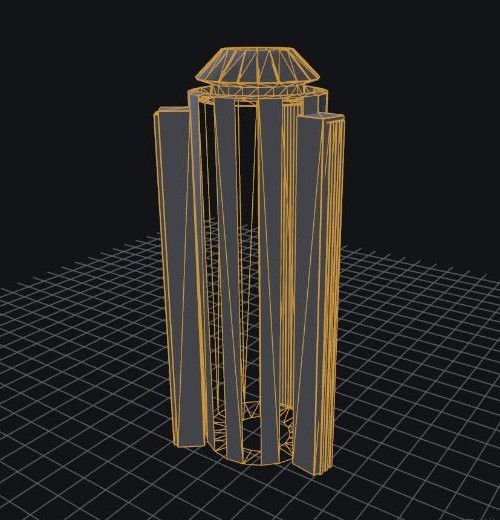
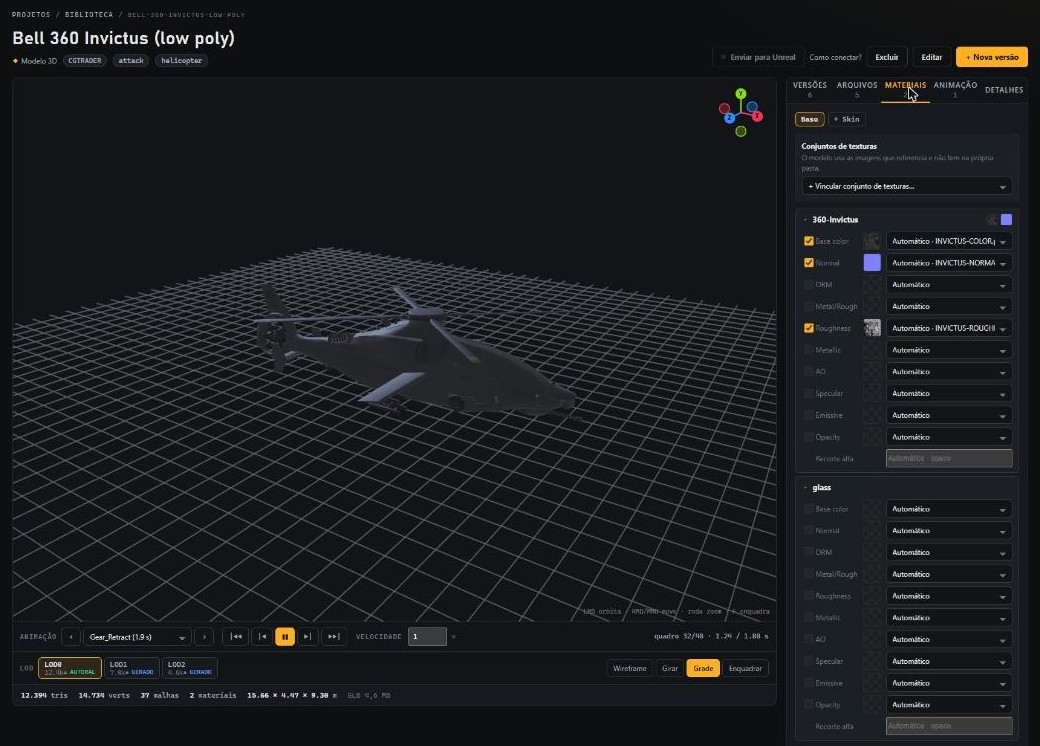
The viewer is Bevy compiled to WebAssembly. Orbit, switch LODs for an A/B compare, play animations frame by frame, and tune materials with a live preview before committing a new version.
Pair the Unreal Engine editor plugin once, then push any version straight into your project with one click.
hangar push a folder as a new version, pull, diff, status. Fits right into build scripts.
Turn every subfolder of a purchased package into its own asset, cloned from a template. Resumable.
From the database to the pixels. One language across the server, the processing pipeline, the CLI and the browser — for performance where it counts and correctness everywhere.
Mesh simplification, texture processing and hashing run at native speed. In the browser, WebAssembly drives a GPU renderer and hashes multi-gigabyte uploads without a plugin.
The same types are compiled into the server and the browser, so the contract between them is checked by the compiler, not by hope. Memory safety without a garbage collector.
Blobs are content-addressed and immutable. Uploads are re-hashed on arrival and rejected on mismatch, so what you stored is exactly what you get back.
Grab a prebuilt release, or build from source. All you need besides Hangar is PostgreSQL.
# database (PostgreSQL via Docker)
$ docker compose up -d

# web UI → crates/hangar-web/dist
$ cd crates/hangar-web && trunk build --release && cd ../..

# server — open http://localhost:8100
$ cargo run -p hangar-server --release
The first user to sign up becomes the administrator.
$ hangar login --server http://hangar.local:8100 --user ana

# a folder becomes a new version — only changed files upload
$ hangar push <asset-id> ./Abrams -m "Fix hull normals" --wait

$ hangar versions <asset-id>
Requires Rust stable with the wasm32-unknown-unknown target and Trunk to build the UI.
Download Hangar, point it at a disk you own, and give your team a versioned, previewable asset library that never leaves your network.